Sell Fries Kitchen Upgrades and Automation Guide
Connect the Conveyor, Robot Helpers, Auto Peeler and Auto Fryer, choose useful carrying tools, and maintain the Window Fries Shooter in Sell Fries.
Build a connected flow: Conveyor and useful collection, then prepared ingredients and cooking, while checking service and shooter readiness. Buy for the stage that currently blocks completed orders.
View reference image
On this page
Automate a working kitchen, one dependency at a time
Kitchen upgrades in Sell Fries! [Anomaly] should move more potatoes all the way to completed sales while leaving you able to react to danger. The official listing confirms kitchen upgrades as part of the game loop. Pro Game Guides and AllThingsHow describe the machinery and carrying tools in more detail. Their October 13 walkthroughs are the basis for the equipment names here; this is a source-based planning guide rather than our own benchmark.
The useful progression pattern is collection and delivery, preparation, cooking, then service. An upgrade can improve one stage without improving the whole chain. If the next station is already backed up, producing more input simply makes a larger queue. Watch where the current order waits, and buy for that problem.
Establish a manual baseline first
Before relying on machines, complete a normal potato-to-fries sale by hand. You should recognize the pile, preparation station, fryer, and serving window. The beginner guide explains the sequence. This baseline tells you what an automatic machine is replacing and makes it easier to locate a stall after the purchase.
Keep the first comparison ordinary. Do not change your entire route, buy several unrelated upgrades, and then assume you know which one improved the result. Choose a single visible problem: too many collection trips, slow peeling, food waiting to cook, or service requiring attention you need elsewhere. The goal is a kitchen you can understand while it runs.
Current shop descriptions control the actual purchase. Prices in published walkthroughs are snapshots, and this site does not maintain a verified current price table. Check the required currency, the exact item name, and any prerequisites before spending. A similar icon is not enough to establish that you selected the same upgrade a recording shows.
Use the Conveyor as the foundation for incoming potatoes
Both written sources describe the Conveyor as the first machine foundation for automation. It moves potatoes into the building and connects with collection work outside. It does not, by itself, peel a potato, cook fries, or finish an order. Think of it as changing the path ingredients take into the kitchen.
After buying it, observe a potato passing through that path. Confirm where it enters and where it arrives. This simple checkpoint prevents a common planning error: saving for downstream automation while the new input path is not being used. You should be able to explain how the next potato reaches preparation before you expand the system.
The sources say you can add potatoes manually even when helpers are present. That provides a way to support the flow when you are nearby, but it does not prove that constant manual feeding is optimal. Inspect the next stage first. Adding more raw material to a visibly stalled line can hide the underlying problem beneath a bigger pile.
Match carrying tools to the trips you still make
The community walkthroughs describe a Bucket, Vacuum, and larger carrying options. Their purpose is reducing repeated collection travel. Pro Game Guides recommends prioritizing the Vacuum; AllThingsHow also emphasizes Conveyor dependencies and later automation. Those recommendations can coexist because they solve different parts of the work.
If collection remains manual and your carrying limit forces repeated short trips, a better carrying tool has a clear purpose. If helpers already supply enough potatoes to keep preparation busy, the same purchase may save less immediate work. Consider the actions you still perform after the last upgrade, not only the actions you remember from the opening.
Do not infer a universal capacity formula from the name of an item. Read the inventory display and compare it before and after the purchase. We have not independently tested the current tools, their variants, or how every perk affects capacity. No premium purchase is required by this guide, and no spend recommendation is based on an unverified rarity claim.
Connect Robot Helpers to a useful destination
The sources place Robot Helpers near the potato pile and describe them gathering potatoes onto the conveyor. That makes the conveyor and helpers a practical pair. Buying collection assistance is valuable when it reduces the time you must leave the kitchen to replenish supplies.
Watch a complete collection and delivery sequence after hiring help. A moving robot does not automatically prove that the fryer has useful input. Confirm that potatoes reach the next station and that you can continue the sale chain. If output accumulates before peeling, the next improvement may belong to preparation rather than another source of raw potatoes.
Helpers also introduce a reported nighttime interruption: a stuck robot can require interaction to resume work. Check your staff when the line unexpectedly runs dry. A stalled helper and an insufficient production rate are different problems. Spending money on more equipment will not necessarily solve a temporary interruption that has an explicit interaction prompt.
Add the Auto Peeler before relying on automatic cooking
Both walkthroughs describe the Auto Peeler and Auto Fryer as the next preparation and cooking stages. Their order follows the ingredient chain: potatoes need preparation before frying. AllThingsHow specifically reports that skin left on a manually prepared potato prevents cooking. That explains why a cooking problem can originate upstream.
After installing the Auto Peeler, confirm that prepared potatoes are reaching the cooking stage. Then judge the fryer. If preparation now keeps pace but cooking backs up, automatic cooking addresses a recognizable delay. If prepared ingredients are not arriving, inspect collection and preparation before concluding that the fryer is too slow.
This is a useful way to evaluate any future upgrade added to the shop. Identify its input, the action it performs, and the next station that consumes its output. An expensive machine has limited value when the preceding stage cannot feed it or the following stage cannot use what it produces.
Treat the Window Fries Shooter as maintained equipment
Pro Game Guides and AllThingsHow both describe the Window Fries Shooter as a response to window anomalies, and both warn that it needs reloading. This maintenance requirement matters as much as the purchase. A shooter that is empty when you are occupied elsewhere does not provide the protection you expected.
Include its state in your normal kitchen checks. Know how to reload it from the current prompts, and keep the shutter interaction familiar. Until you have confirmed it is loaded and operating, plan to respond manually to a dark window visitor. Do not interpret automation as permission to ignore every warning while searching outside.
The sources’ descriptions of service automation are not identical in detail. This guide relies on their shared defensive role and reload warning rather than promising that every normal customer is handled automatically in every current mode. Inspect the actual machine behavior and current description after purchase.
Use morning perks to support the stage you need
Surviving to morning brings perk choices in the community walkthroughs. Some offer straightforward improvements, while some stronger-looking options include drawbacks. Read the entire choice. A benefit to earnings can come with more demanding anomalies; more health can come with reduced movement in the examples those sources describe.
During a learning run, choose a benefit you can use without losing control of the kitchen. If the fryer is the bottleneck, a relevant cooking improvement has a clear job. If survival is what repeatedly ends the attempt, additional production is not the only priority. No single perk is established here as the best choice for all solo and group runs.
Reassess after a real service cycle
After each major upgrade, complete another full sale and observe the flow through all stages. Check input, preparation, cooking, window readiness, and the reported warning systems. The next bottleneck may have moved. That is normal progress, not evidence that the previous purchase failed.
Only leave for a day-shop trip when you know what the kitchen will need while you are away. Traffic and night threats remain relevant after automation. Use the night response guide before treating the business as unattended. A reliable line earns its value by freeing attention for the rest of the run, including the hidden-key objective, without hiding new failures from you.
Official game media
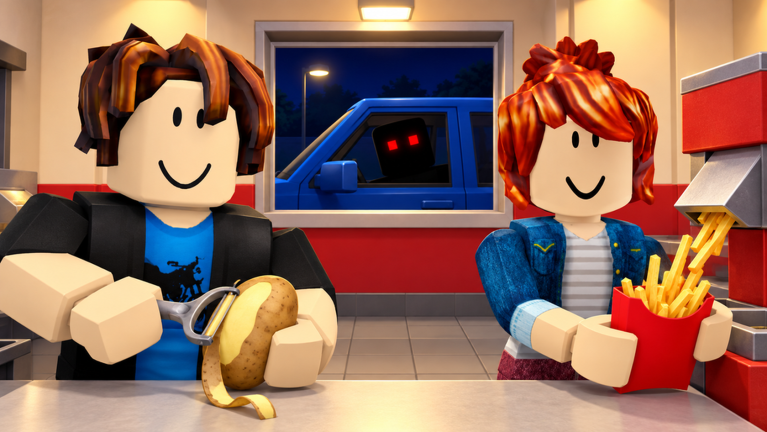
Official Roblox promotional artwork by Pharting. This image illustrates the game identity, not a tested gameplay instruction. Rights remain with the respective owners; editorial reference with attribution. Official source. For rights questions, contact linming7277@gmail.com.
Step-by-step guide
- Map the existing kitchen flow
Complete a manual sale and locate the delay between the pile, preparation station, fryer and service window.
- Connect each new machine
After a purchase, confirm that its input arrives, its action completes and its output reaches the next stage.
- Maintain the automated line
Check helpers, power and the shooter reload state; automation still needs attention during reported anomaly events.
Video evidence
Watch creator walkthroughs alongside this guide. Check the recording date before following requirements that may have changed.
ROBLOX - Sell Fries! [Anomaly] - [Full Walkthrough]
A full recorded playthrough for the exact Pharting game. The description links the same Roblox place; useful for visual context alongside the written task guides.
ROBLOX SELL FRIES (ANOMALY)
A separate creator session provides another view of the kitchen and anomaly theme. Metadata and embed eligibility were checked; no transcript was retrieved.
Sources
Recheck these links whenever the game version, release status, or strategy changes.
- Sell Fries! [Anomaly] — official Roblox listing Pharting; official potato, cooking, service, kitchen upgrade and night warning. Checked 16 October 2026.
- Pro Game Guides — walkthrough, upgrades and anomaly responses Luka Ilic, 13 October 2026. Community reporting; details may change with updates.
- AllThingsHow — kitchen and night walkthrough AllThingsHow Staff, 13 October 2026. Used to cross-check the task sequence and responses.
- TheKacperosEN — full recorded playthrough Public gameplay recording; description matches the exact official place ID.